21 hours
a year on tax paperwork when you have business income
Your numbers stay current all year, so tax time is a review, not a rebuild.
The app
How it worksIncome, buckets, tax set-aside and invoicing, end to end Bank connectionsExactly what we can see, and what we can’t Core vs ProWhat each plan includes, side by sideBuilt for
Creators & freelancersBrand deals and client work, none of it on a schedule Switching appsYour old tool was discontinued? Where to go next Compared to alternativesAn honest look at what else is out there Three of the four ways to log money need no bank connection at all.See how it works →
Guides
2026 IRS mileage rate72.5¢, then 76¢ from July 1, and what to log Quarterly estimated taxesThe four dates, and the rule that keeps penalties away Free tax calculators1099 tax, quarterly tax, SE tax, mileage, hourly rate and S-corp, on 2026 figures All guidesEverything we’ve written, in one placeHelp
Support CenterAnswers to the common questions, and a real person behind the rest FAQThe questions that come up before signing up Ask us anythingSend us a message — a person writes back Why we built BrassWell — the founder’s story. Start here.Read the story →
Finance built for the self‑employed
Income, expenses, miles, invoices and your tax set-aside. One simple app, built for a business of one.
No card. Nothing charges until you choose a plan.


The problem BrassWell starts from
No accounting degree, no double-entry, no jargon. Log a payment or an expense in a few taps and get back to work.
Snap a receipt and AI files it. Mark an invoice paid and it becomes income. Tax time is an export, not a lost weekend.
Each expense is filed to a tax category as you log it, so your deductions add up all year instead of being rebuilt in April.
See where the money goes, with monthly and quarterly budgets built for income that never arrives on a schedule.
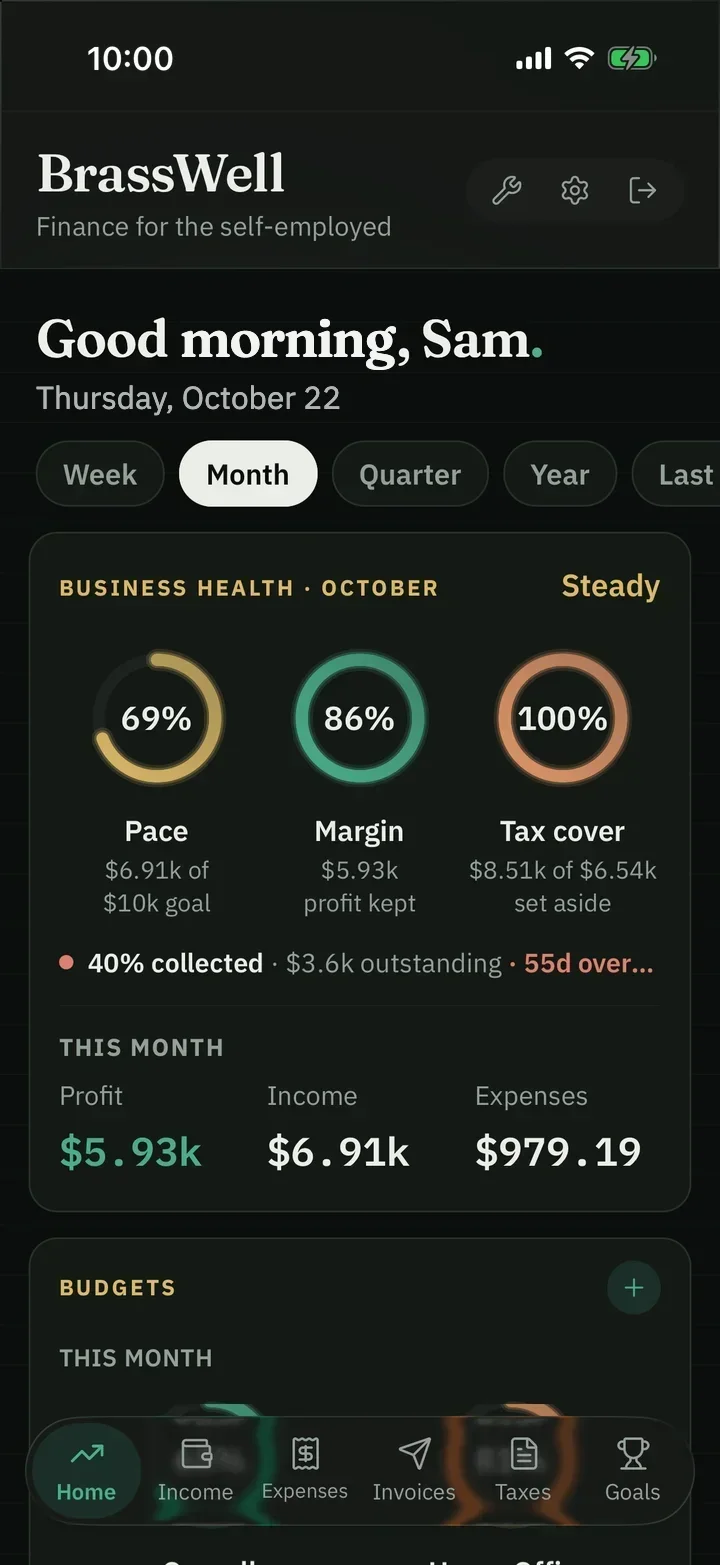
Are you earning enough, keeping enough, and covered for tax? Open the app and three dials tell you.
The web app · live today
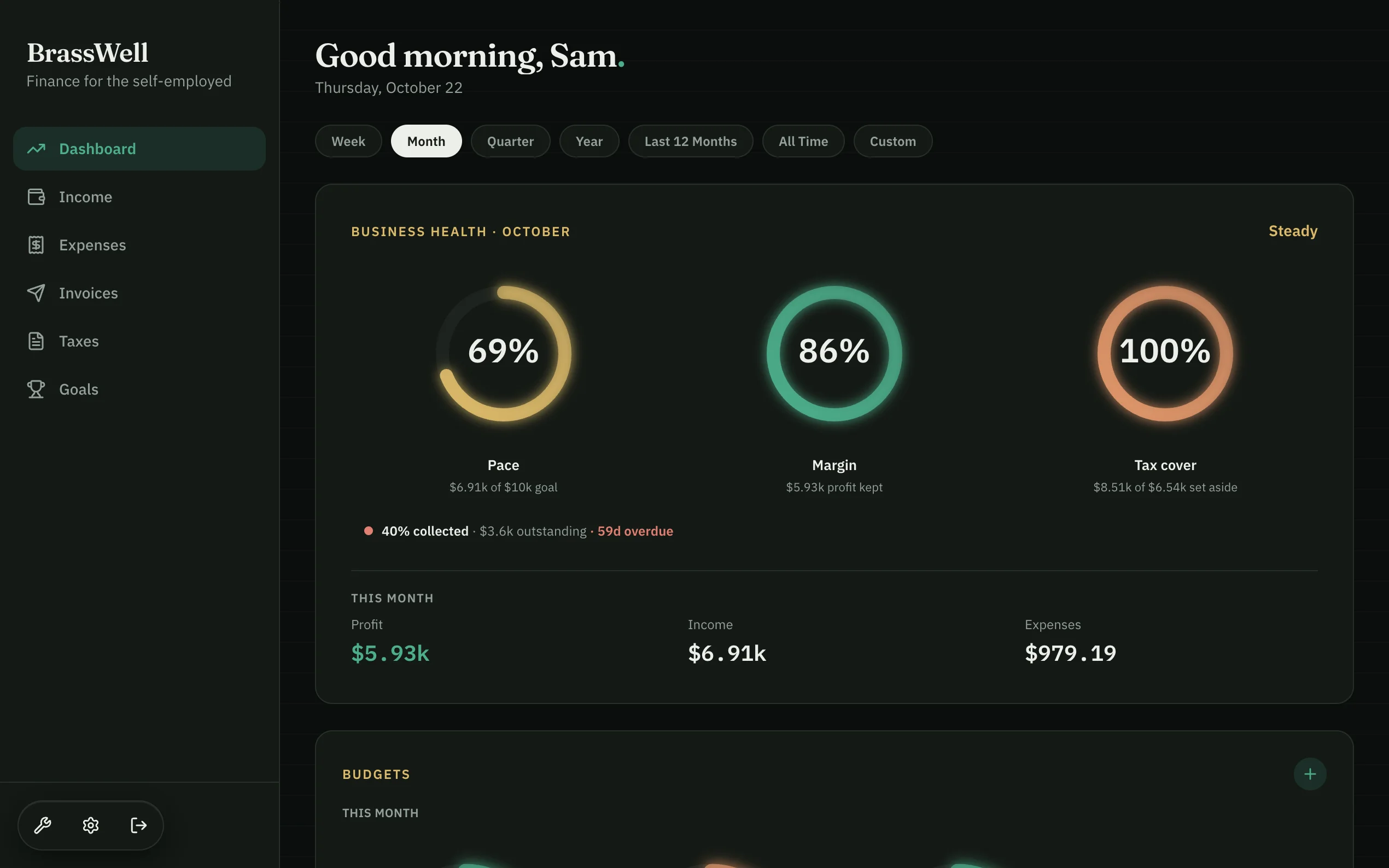
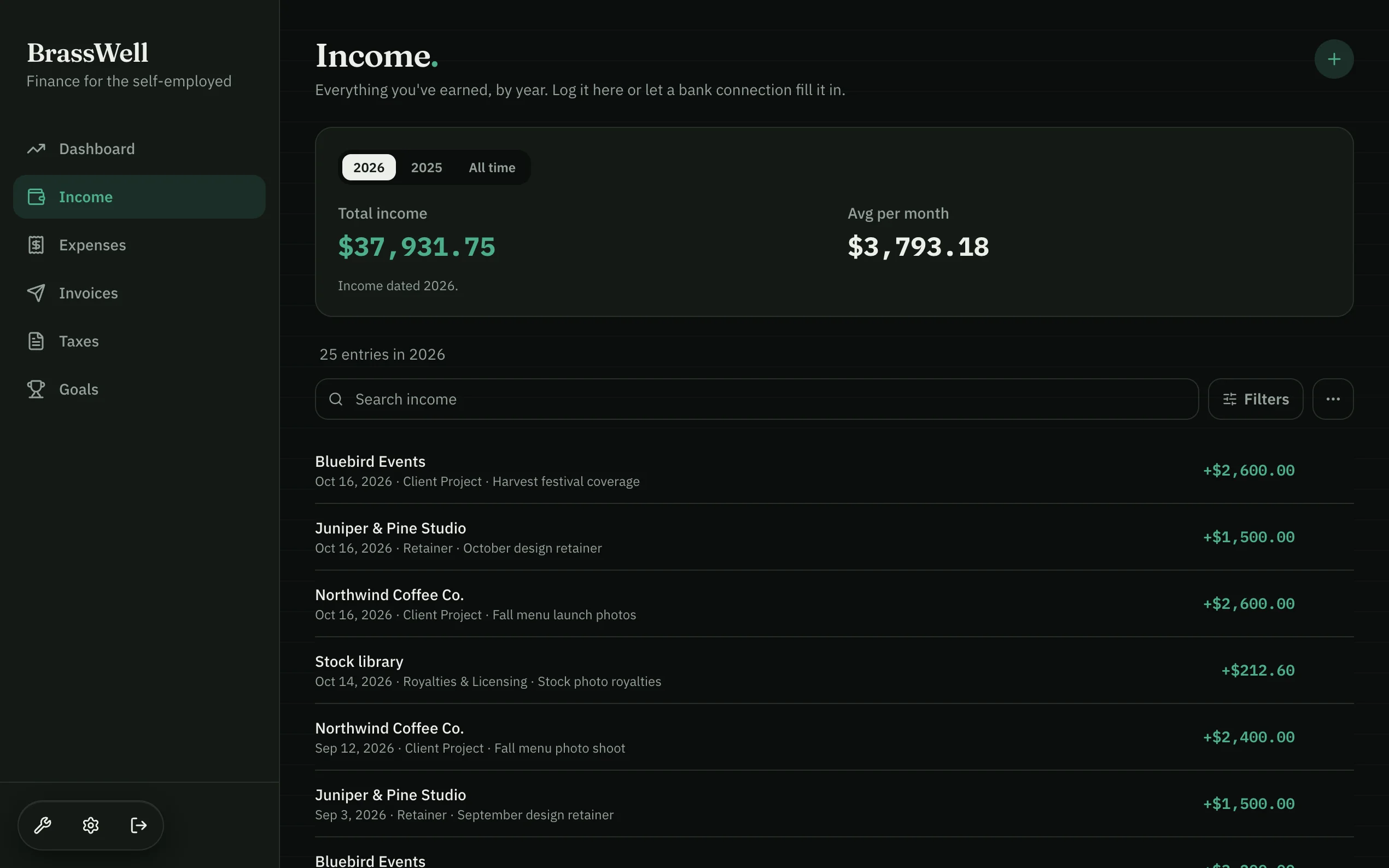
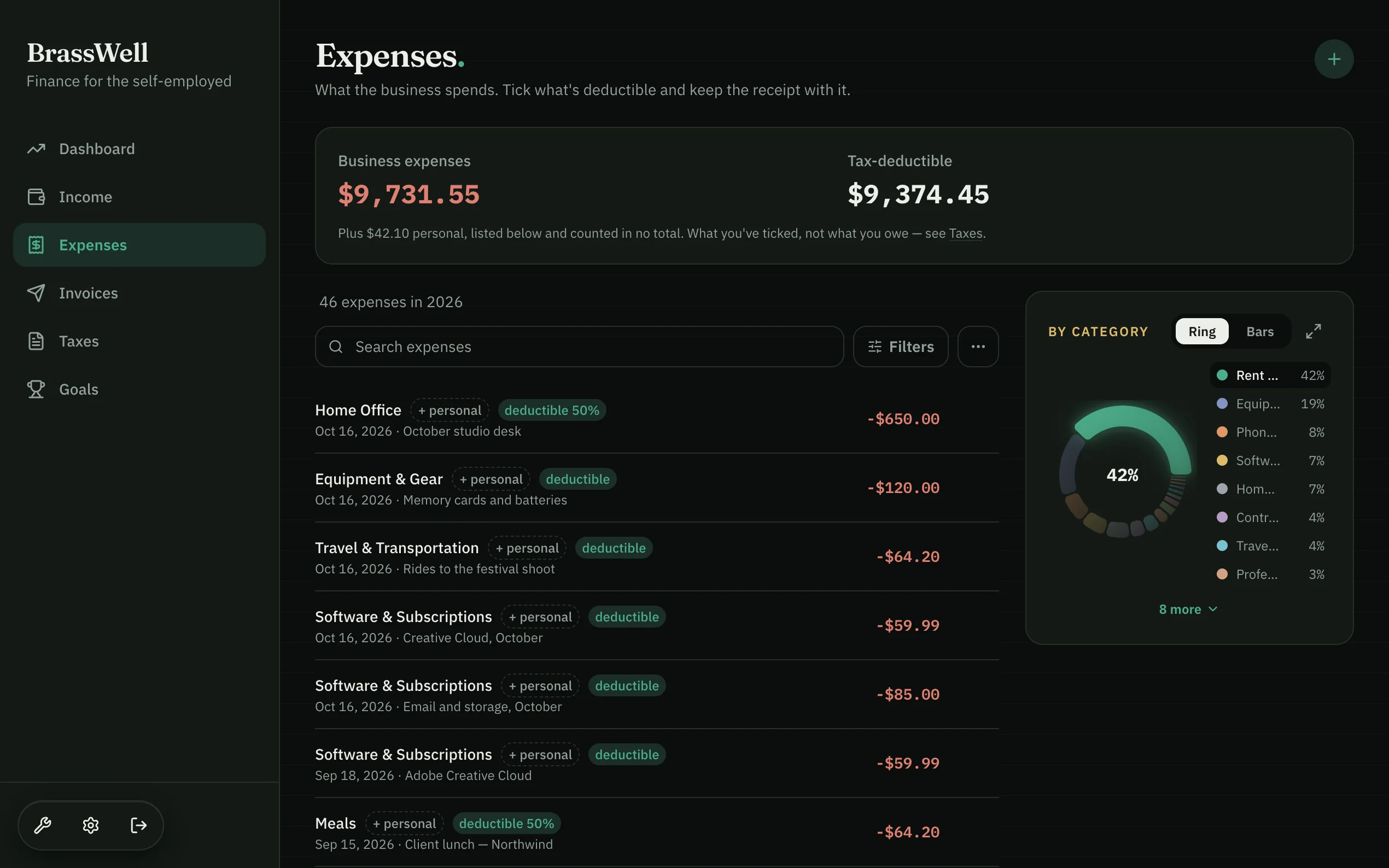
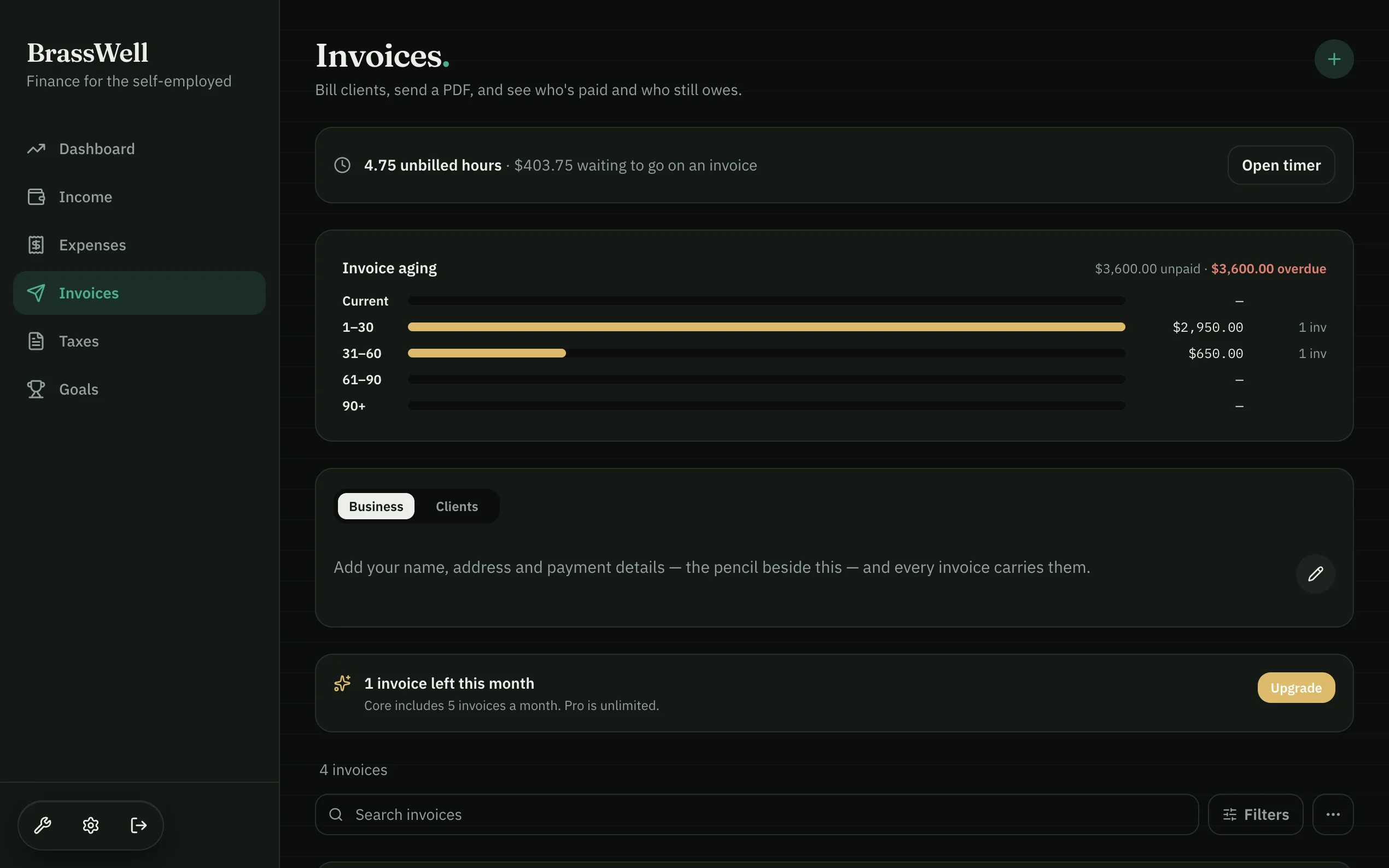
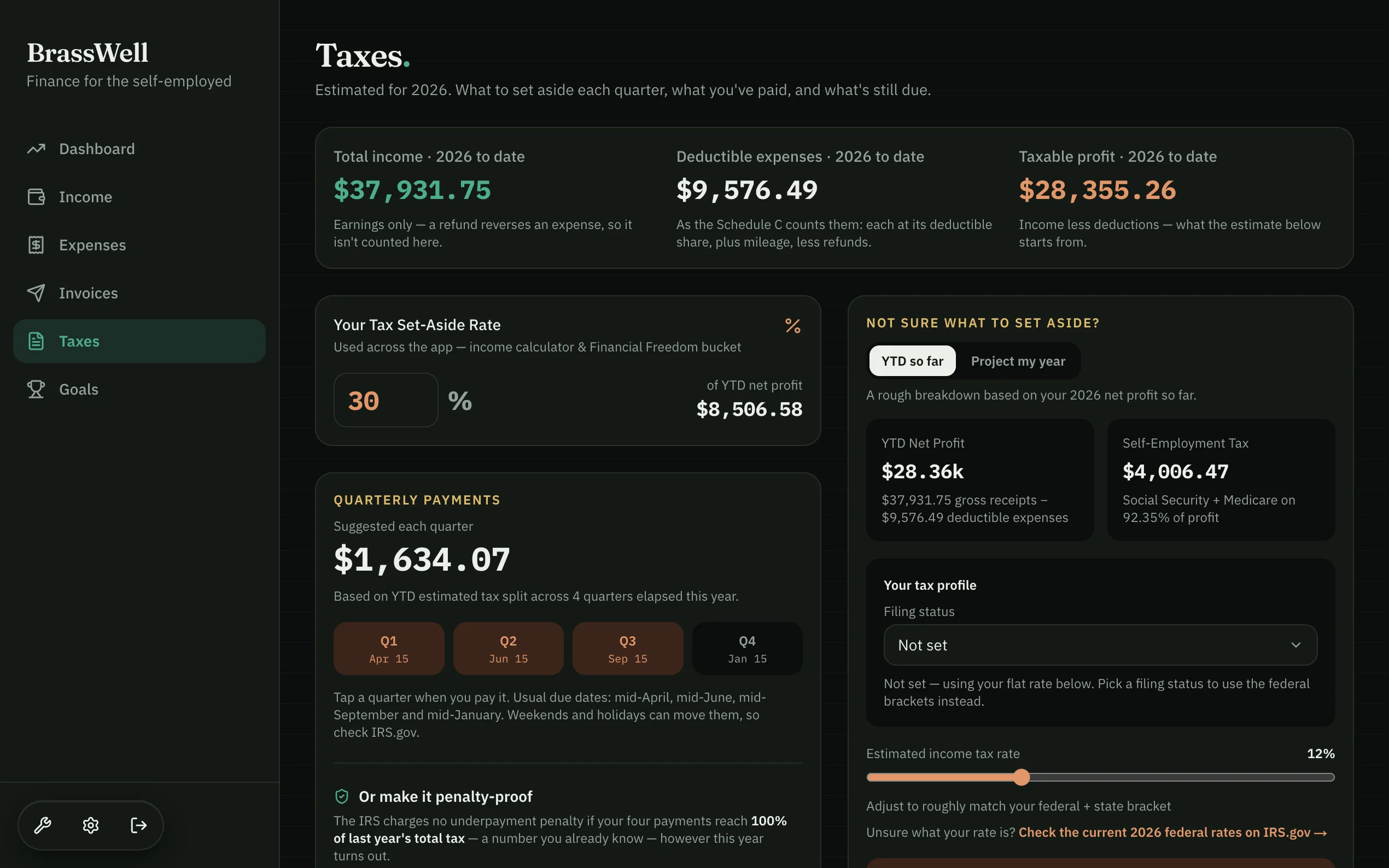
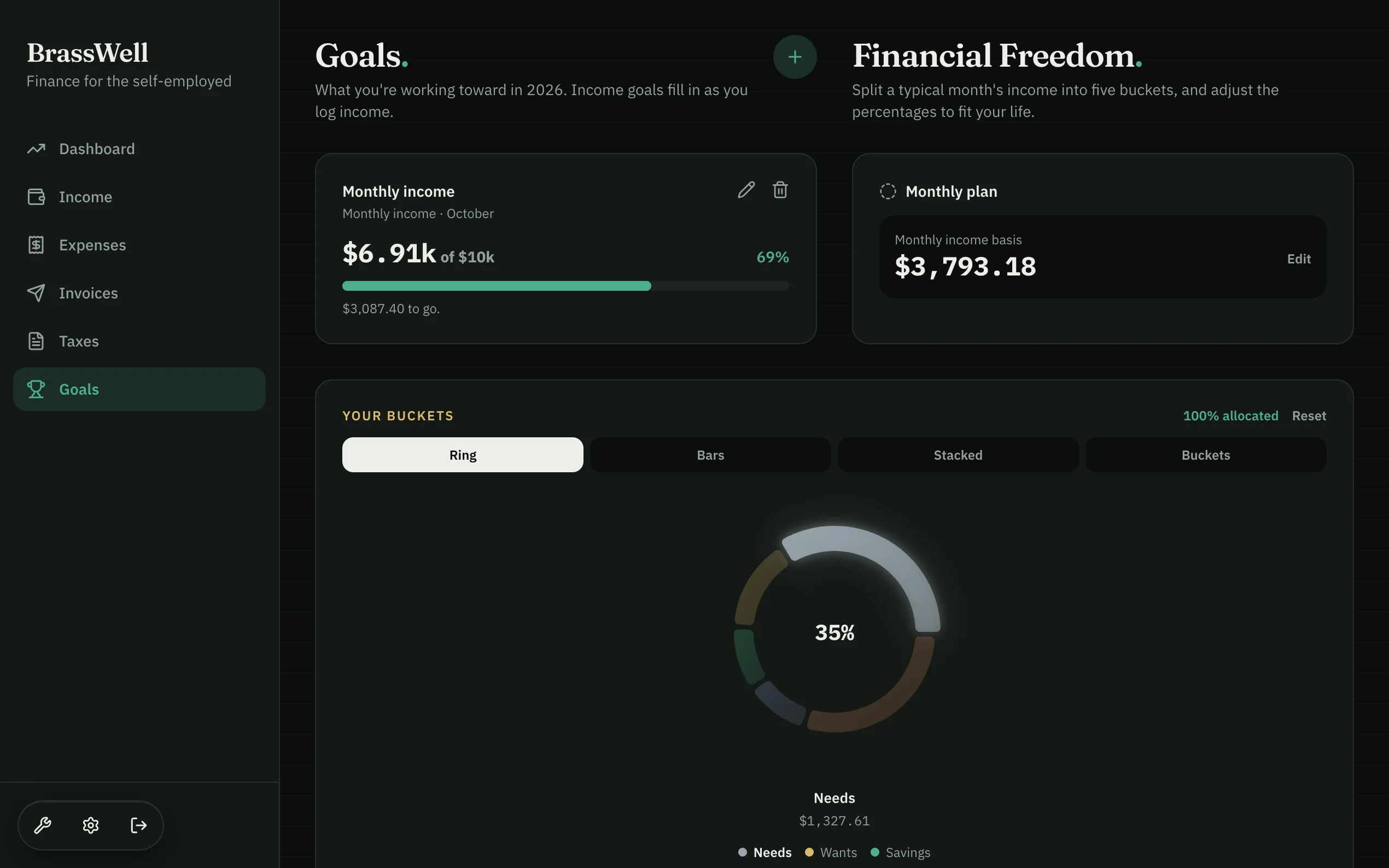
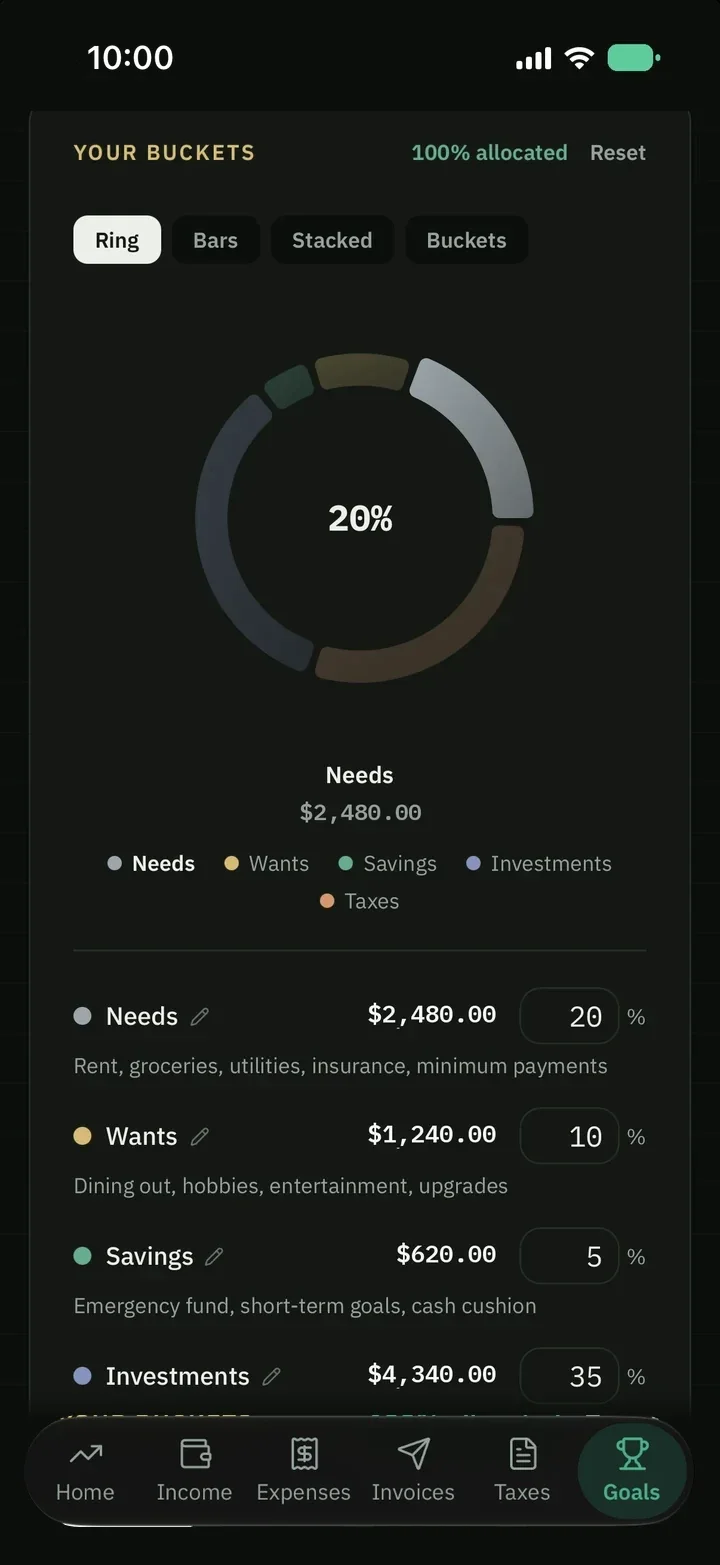
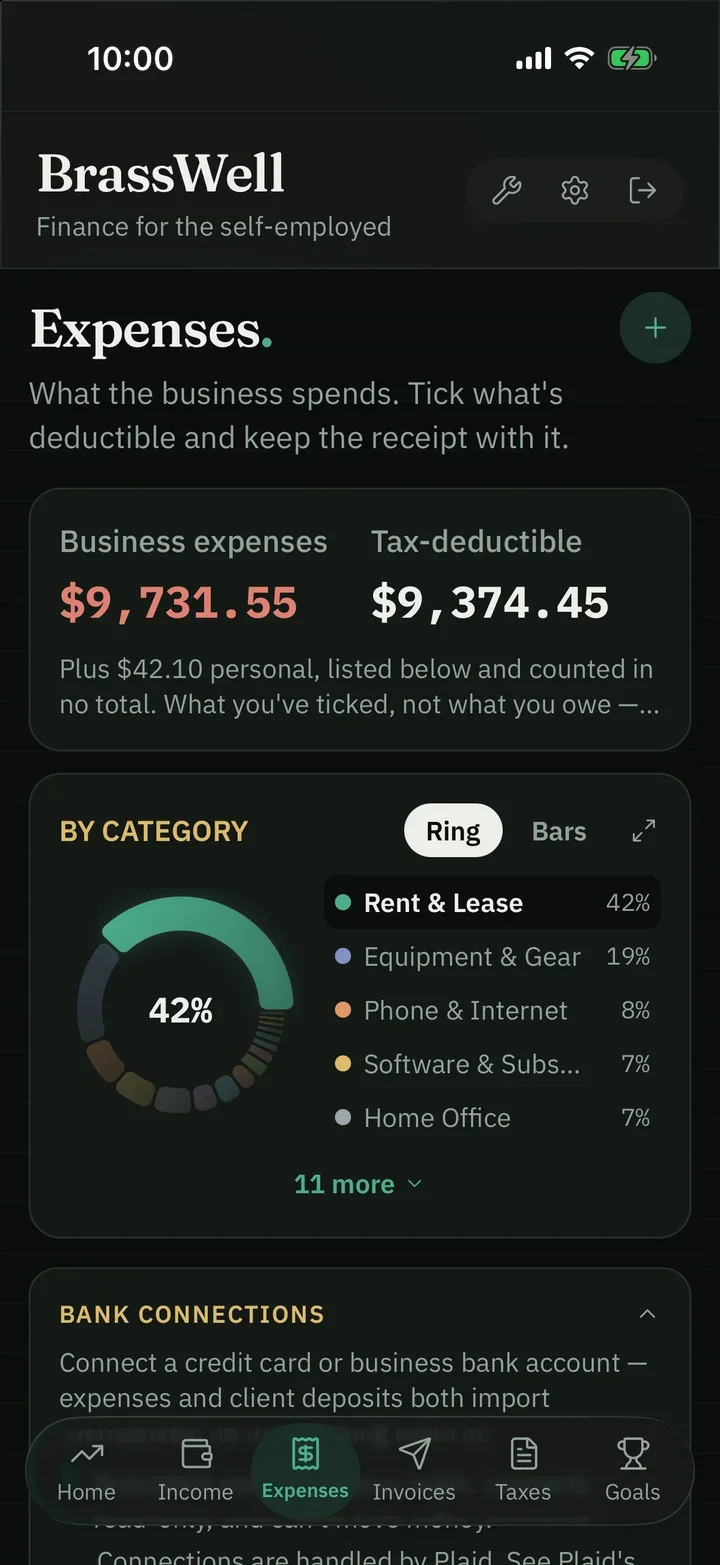
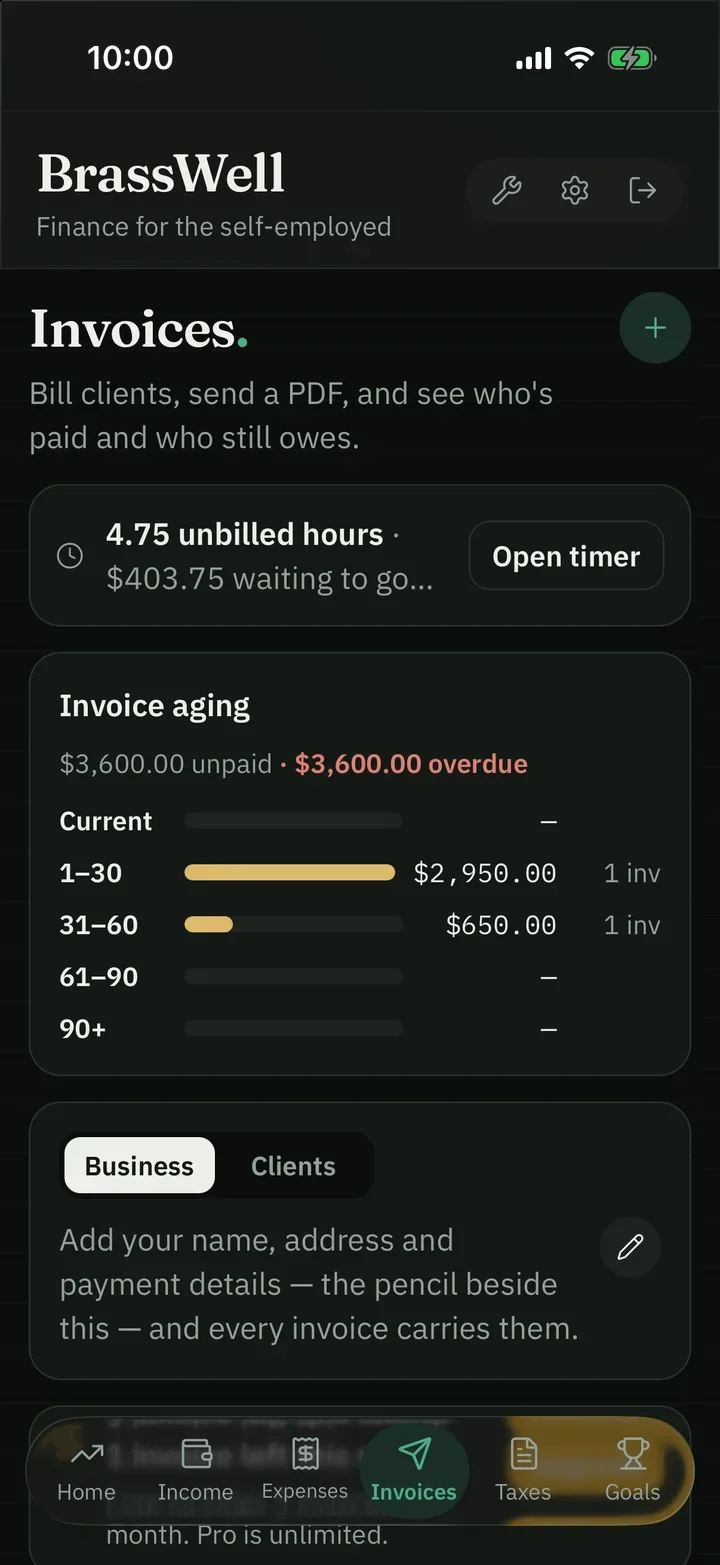
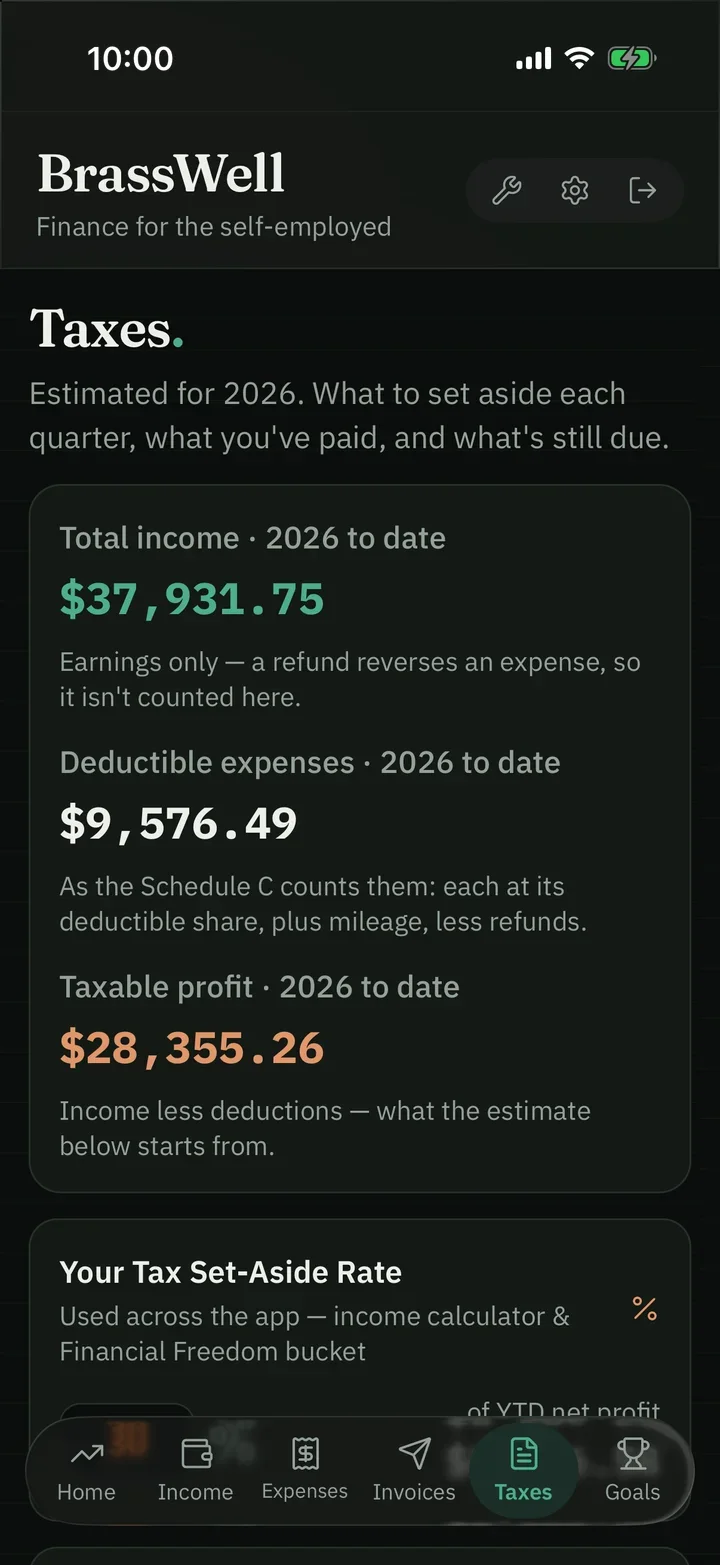
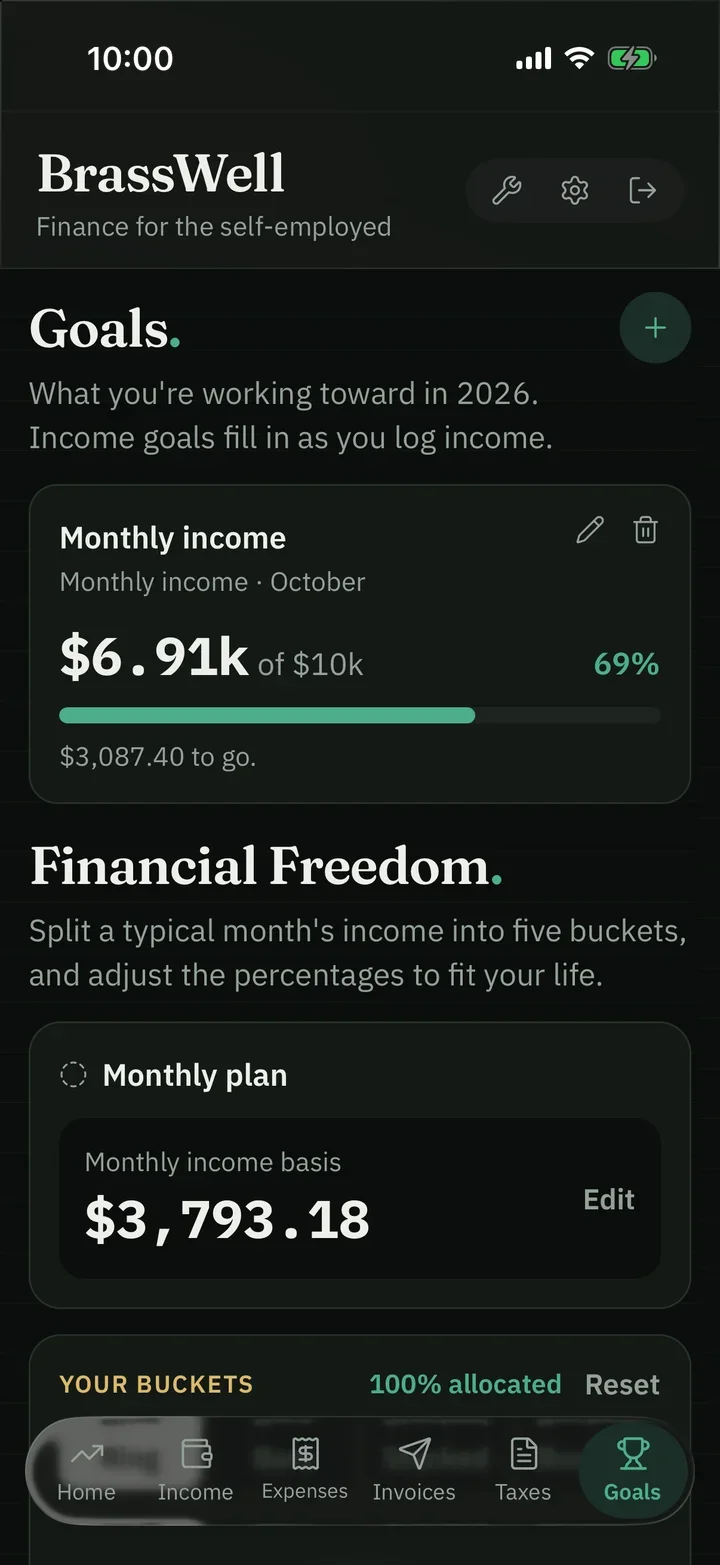

Three dials, one glance. Are you earning enough, keeping enough, and covered for tax? That’s the whole dashboard.
Every payment, in one list. Log it by hand, import a CSV, or connect a bank on Pro — and your buckets update as each one lands.
Receipts, read for you. Scan a receipt and AI files the vendor, date and amount to a category. Included in Core.
Invoices that turn into income. Grouped by quarter. Mark one paid and it flows straight into income — no typing it twice.
Know what April costs before April tells you. Set your rate once, see the estimate so far and a suggested quarterly payment. An estimate, not tax advice.
Goals that fill themselves. Income goals fill in automatically as you log income — and the Freedom plan shows the path from here.
Built for a business of one
















What it’s costing you now
21 hours
a year on tax paperwork when you have business income
Your numbers stay current all year, so tax time is a review, not a rebuild.
15.3%
self-employment tax, before income tax even starts
Every deductible expense you log lowers it, and every expense sits in a tax category, so your deductions add up as you go.
76¢
per business mile you can deduct, from July 1, 2026 (72.5¢ before)
Log trips as you drive; 5,000 miles at 76¢ is a $3,800 deduction.
IRS figures. Mileage logging is on Pro.
A year of income Sample data
This is what most people’s year actually looks like. One job done, one payment coming. Next month it might be four jobs, or one.
Every budgeting app assumes the dotted line instead — which is why they tell you you’re overspending in September and rich in July.
June was $6,300. It arrives in one lump and leaves in four directions. BrassWell shows you the split as soon as you log it, so you know what’s actually yours to spend.
Simple, on purpose
In
Left out, on purpose
Accounting software is built for a bookkeeper. BrassWell is built for you.
Six jobs, one account
01 · Track
Income and expenses in a single place — not scattered across three apps, a bank app, and a shoebox of receipts. Log it by hand, import a CSV, photograph a receipt, or connect a bank on Pro.
02 · Taxes
A running estimate updates every time you log income, and a share of your profit is earmarked before you can spend it.
An estimate to help you plan — not tax advice, and it doesn’t file for you.
03 · Receipts
AI reads the vendor, date and amount off the receipt and files it to a category. Included in Core, not held back for Pro.
It asks before the first photo goes to Claude, Anthropic’s AI, and Anthropic doesn’t train its models on it. Switch it off any time and type the expense yourself.
The iOS app goes a step further: it checks each receipt for the five things the IRS asks a receipt to show.
Sample receipt · checklist in the iOS app
04 · Invoices
Your logo, line items, tax and a due date — plus a “Pay this invoice” button. A paid invoice flows into your income without being typed twice.
Money never passes through BrassWell — you connect your own payment details.
05 · Goals
Set a real income target — say, ten thousand a month — and it fills in automatically as you log income. Hit it, and BrassWell makes sure you notice.
Sample goal
06 · Mileage Pro
An IRS-ready mileage log that turns the drive to a client into a deduction you can see: miles × rate, worked out for you.
Three of the four ways to log money need no bank connection at all. See how it works →
Quarterly taxes
Four due dates a year, and none of them a surprise. BrassWell works out what to set aside, keeps the estimate current, and shows you each date well before it lands.
Estimates to help you plan — not tax advice, and BrassWell doesn’t file for you.

Why it exists
Built by someone who runs his own business on it.
George, BrassWell’s founder, built the tax buckets and the invoicing first, because those were the parts he needed first.
Why we built BrassWell → All guides → Free tax calculators →
Pricing
Pro
Everything in Core, plus the tools that bill for you.
$299/year
USD per month. Switch to yearly and it’s $299 — two months free. $24.91 a month, billed as $299 a year. You keep $60.88 versus paying monthly. Full refund within 14 days, no questions asked.
Get ProEverything in Core, plus
Core
Everything a solo business needs day to day.
$199/year
USD per month. Switch to yearly and it’s $199 — two months free. $16.58 a month, billed as $199 a year. You keep $40.88 versus paying monthly. Full refund within 14 days, no questions asked.
Get CoreIncludes
Prices in USD. Not ready to pay? Start with 14 days of Core free — no card.

Your free trial, from inside the app
Where it fits
| Kind of app | What it’s for | Examples | Pick it if |
|---|---|---|---|
| Bookkeeping | A full ledger for your accountant | QuickBooks, Xero, Wave | You have staff, inventory, or an accountant who wants double-entry books |
| Tax filing | Filing your return once a year | TurboTax, H&R Block | You only need help at filing time |
| Budgeting | Spending against a steady paycheck | YNAB, Monarch | Your income is the same every month |
| Invoicing | Billing clients and getting paid | FreshBooks, Square Invoices | Invoicing is the only thing you need |
| Self-employed finance planner | Income, expenses, the tax set-aside and what’s truly yours, all year | BrassWell | You work for yourself, your income is uneven, and you want to know what you can spend today |
BrassWell sits in the last row. It keeps your numbers ready for whichever tax filer or accountant you use.
A finance app for a business of one. It sits between tools you may already know. Accounting software is built for bookkeepers, with double-entry ledgers, a chart of accounts and payroll. Budgeting apps assume a steady paycheck and a fixed monthly budget. Tax-filing software helps once a year, when you file. Receipt scanners and invoicing tools each do one job. BrassWell puts the day-to-day part in one place for people whose income varies: income and expenses, a running tax set-aside, receipts, invoices, and budgets that work in uneven months.
QuickBooks and Wave are bookkeeping tools, built around a ledger for an accountant to read. BrassWell is built for the person doing the work: how much came in, how much is the IRS’s, and how much is actually yours to spend or save. If you need payroll, inventory or double-entry books, QuickBooks is the better fit.
14 days, full access to the Core feature set — income & expense tracking, AI receipt scanning, tax estimates, goals, and up to 5 invoices a month. No credit card required. Already know you want Pro? Upgrade from Settings → Plan whenever you like, and the rest of the trial is skipped.
Core is $19.99/month or $199/year (save 17%). Pro is $29.99/month or $299/year (save 17%). See the full pricing page for details.
You log income as it arrives, or connect your bank on Pro. BrassWell estimates your federal income tax and self-employment tax from your own numbers and shows how much to keep aside, so a quarterly payment is never a surprise. It’s an estimate, not tax advice.
No. BrassWell keeps a running estimate of what you’ll owe, suggests a quarterly payment, and shows each IRS due date well before it lands. You make the payment yourself, on IRS Direct Pay for example, and file your return yourself or with an accountant. When it’s time, your records export as a CPA-ready spreadsheet.
No. You can add entries by hand, import a CSV from your bank, or photograph a receipt and let AI read it. Receipt scanning is in Core. Bank connections are an optional Pro feature, through Plaid, for US banks and credit unions. They are read-only: BrassWell sees transactions, never your bank login, and can’t move money.
Yes. Create an invoice, download or share the PDF, and mark it sent; once it’s paid it can flow straight into your income. Clients pay you directly through your own payment link, such as PayPal or Stripe. Money never passes through BrassWell, and it never emails your clients for you. Core includes 5 invoices a month; Pro is unlimited.
Yes, on Pro: an IRS-ready mileage log at the 2026 rate.
Yes for sole proprietors and single-member LLCs, which is who the tax set-aside is built for. If your business is an S-corp or a multi-member LLC, BrassWell still tracks your income, expenses and invoices, Pro adds an S-Corp salary log, and your accountant handles the business return.
Fourteen days, the full Core feature set, and no card. If it doesn’t fit the way you work, you’ve lost nothing.
iPhone and Android · App Store and Google Play
Log an expense, photograph a receipt and check what you’ve really earned from wherever the work is. The same account and the same data as the web app.
 Tidelark Studio