Most finance apps assume a steady paycheck. BrassWell doesn’t.
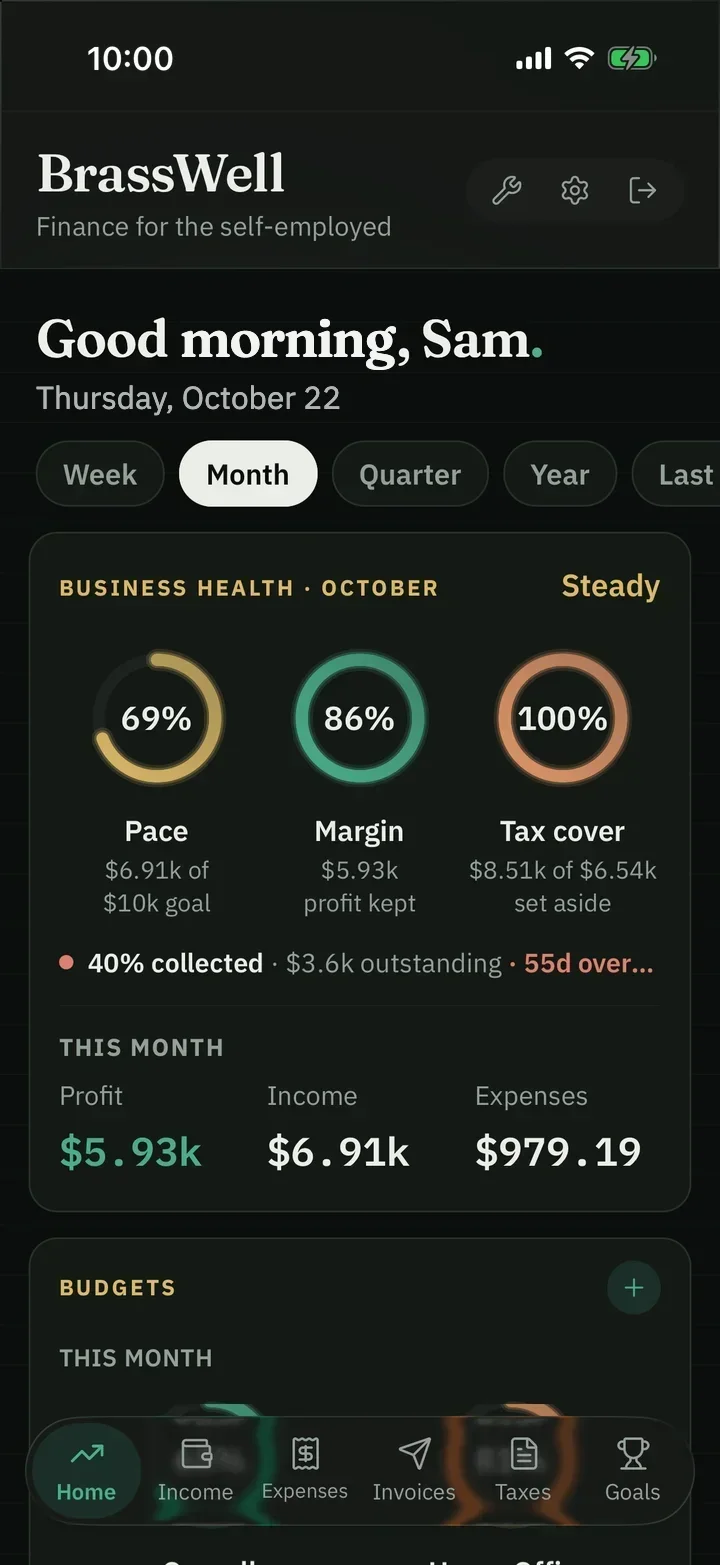
Self-employed income comes in waves — three invoices in March, nothing in April, a platform payout that lands whenever it feels like it. BrassWell is built around that, not against it.
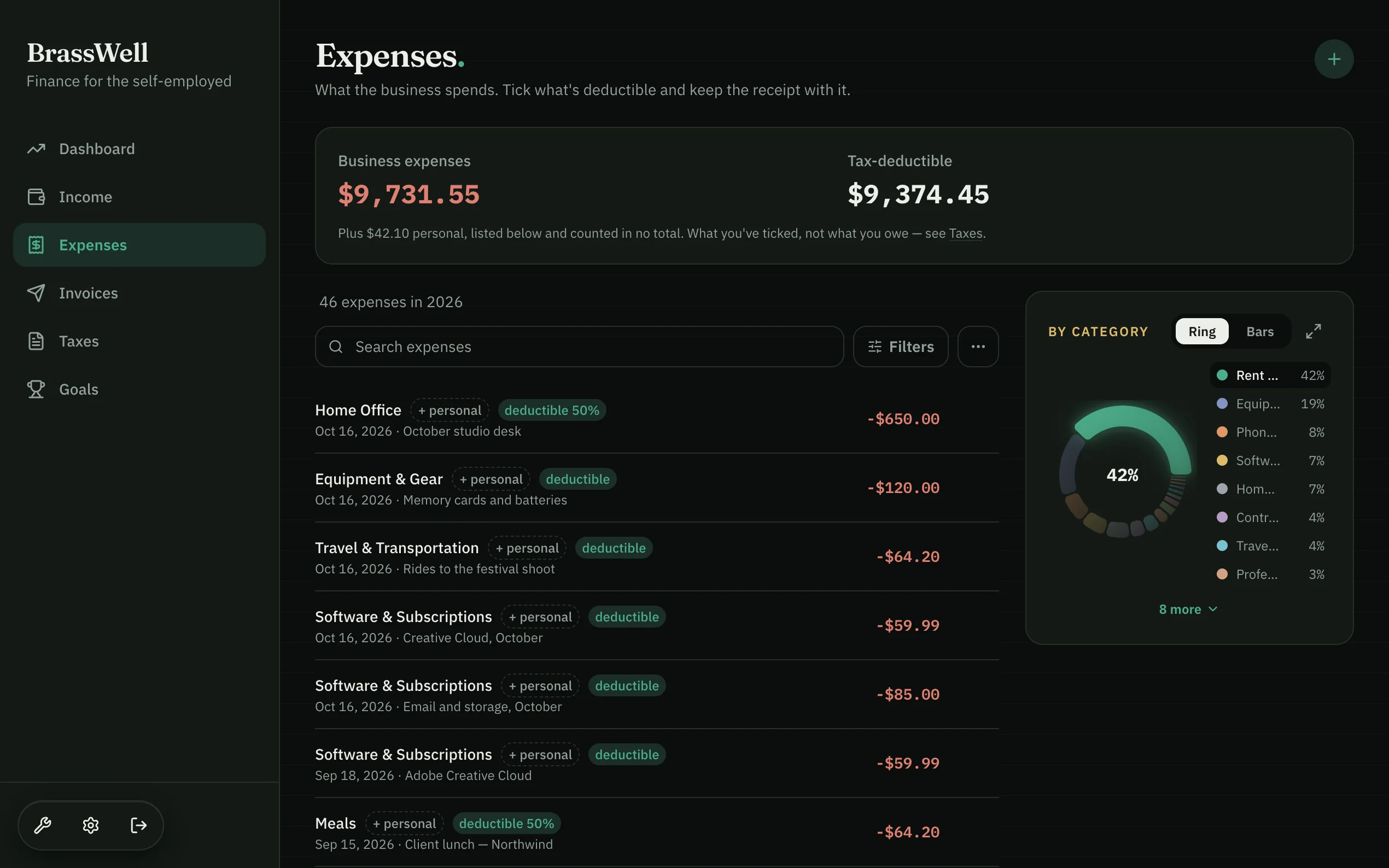
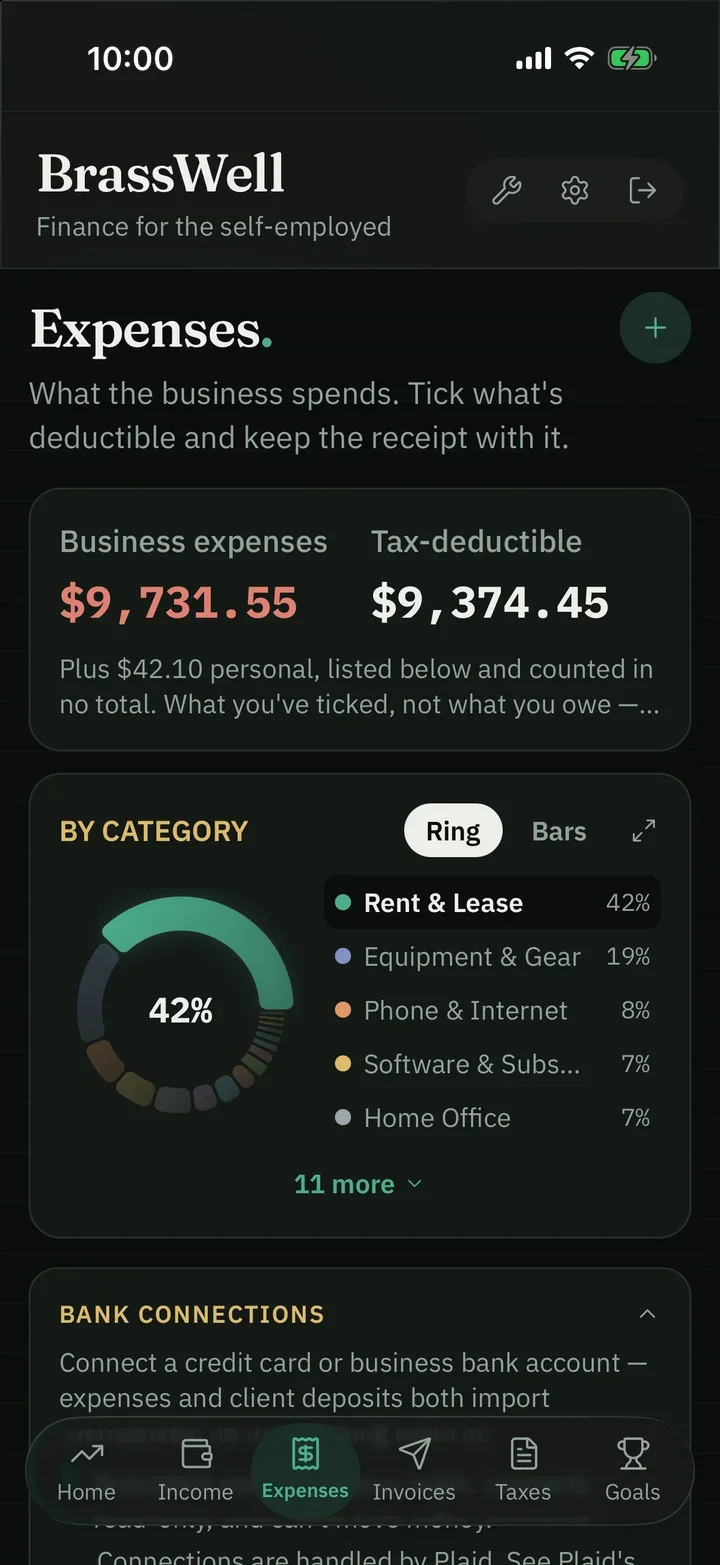
Photograph it, and you’re done. Scan a receipt and AI files the vendor, date and amount to a category. Included in Core.
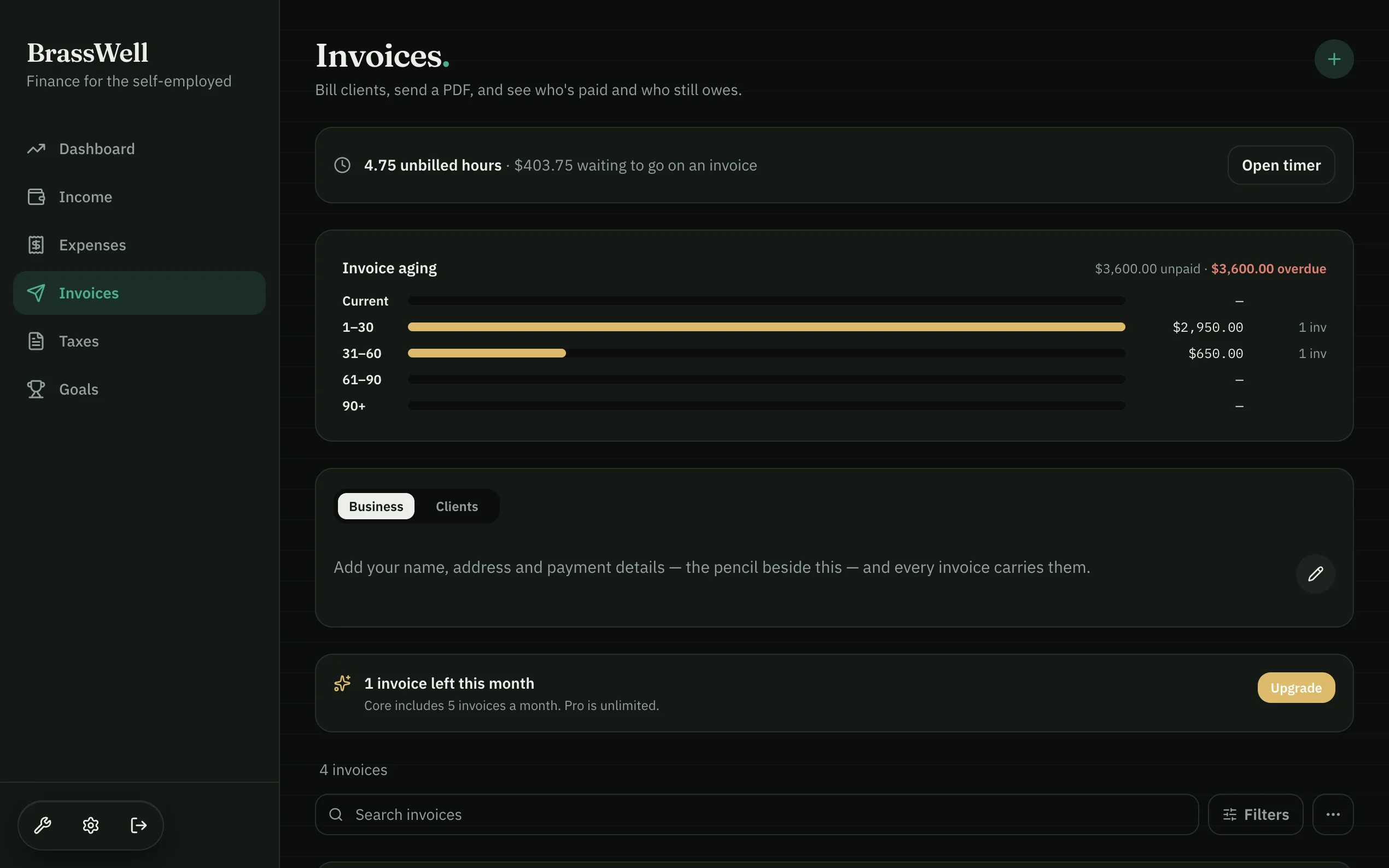
Share the PDF, and get paid on it. Grouped by quarter. Mark one paid and it flows straight into income — no typing it twice.
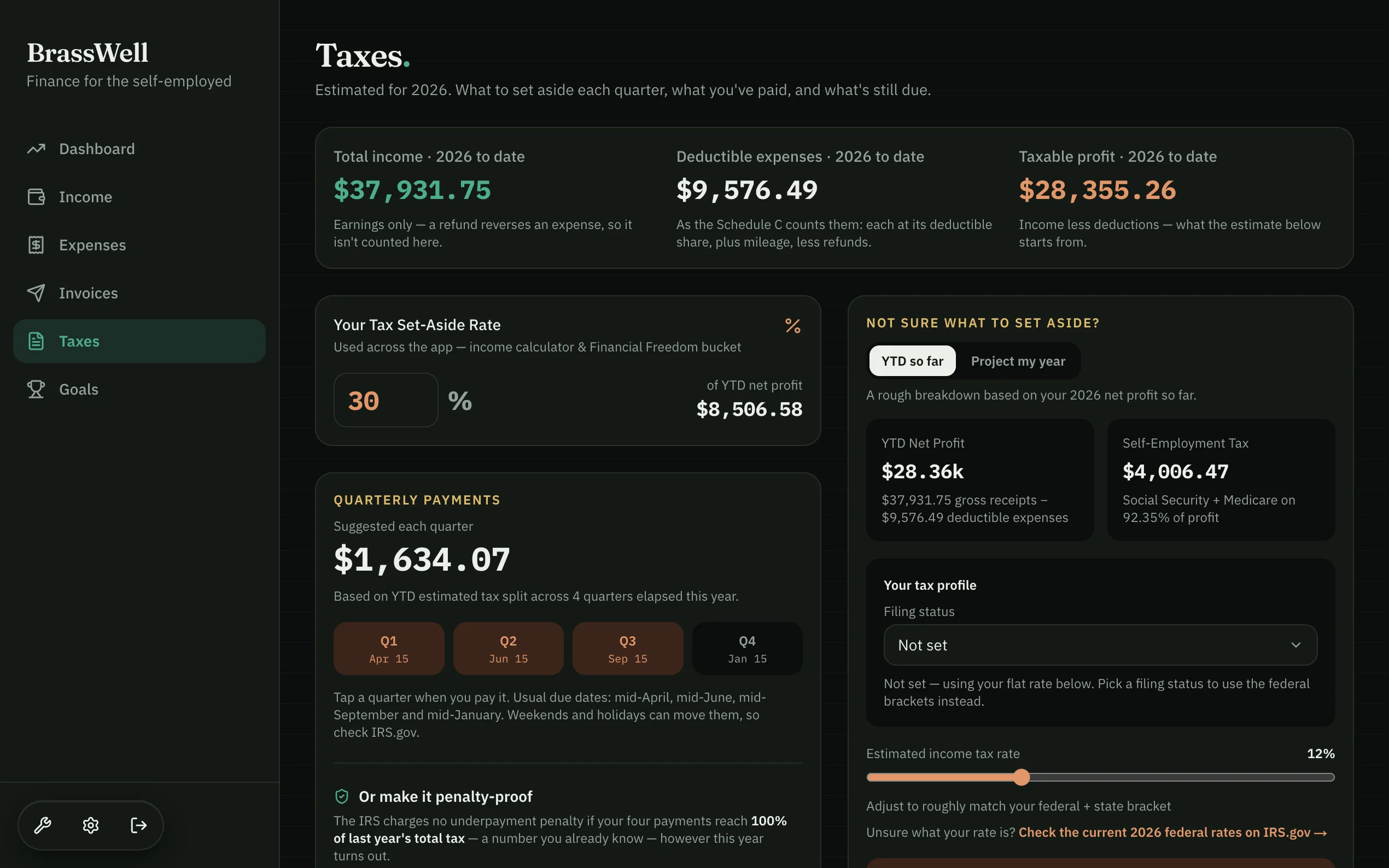
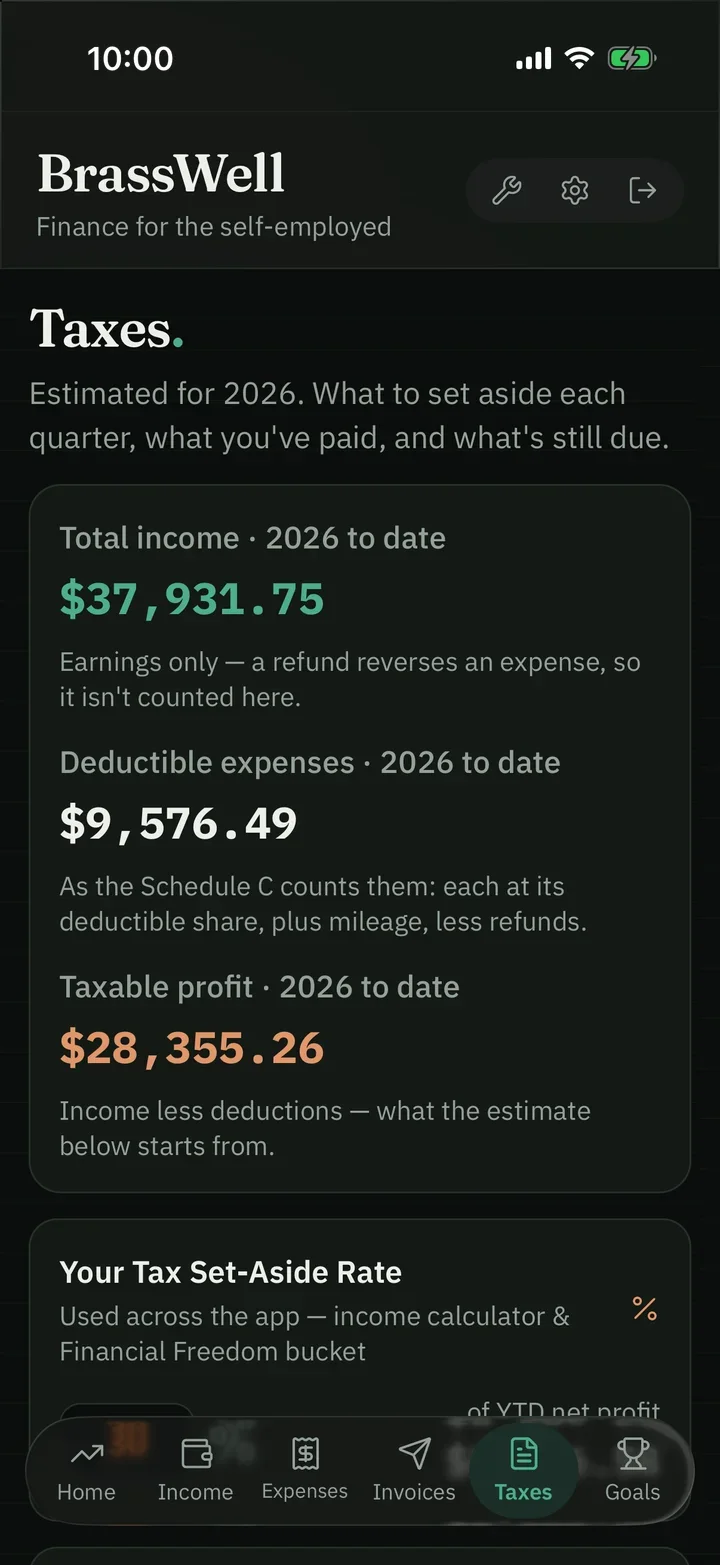
Know what April costs before April tells you. Set your rate once, see the estimate so far and a suggested quarterly payment. An estimate, not tax advice.
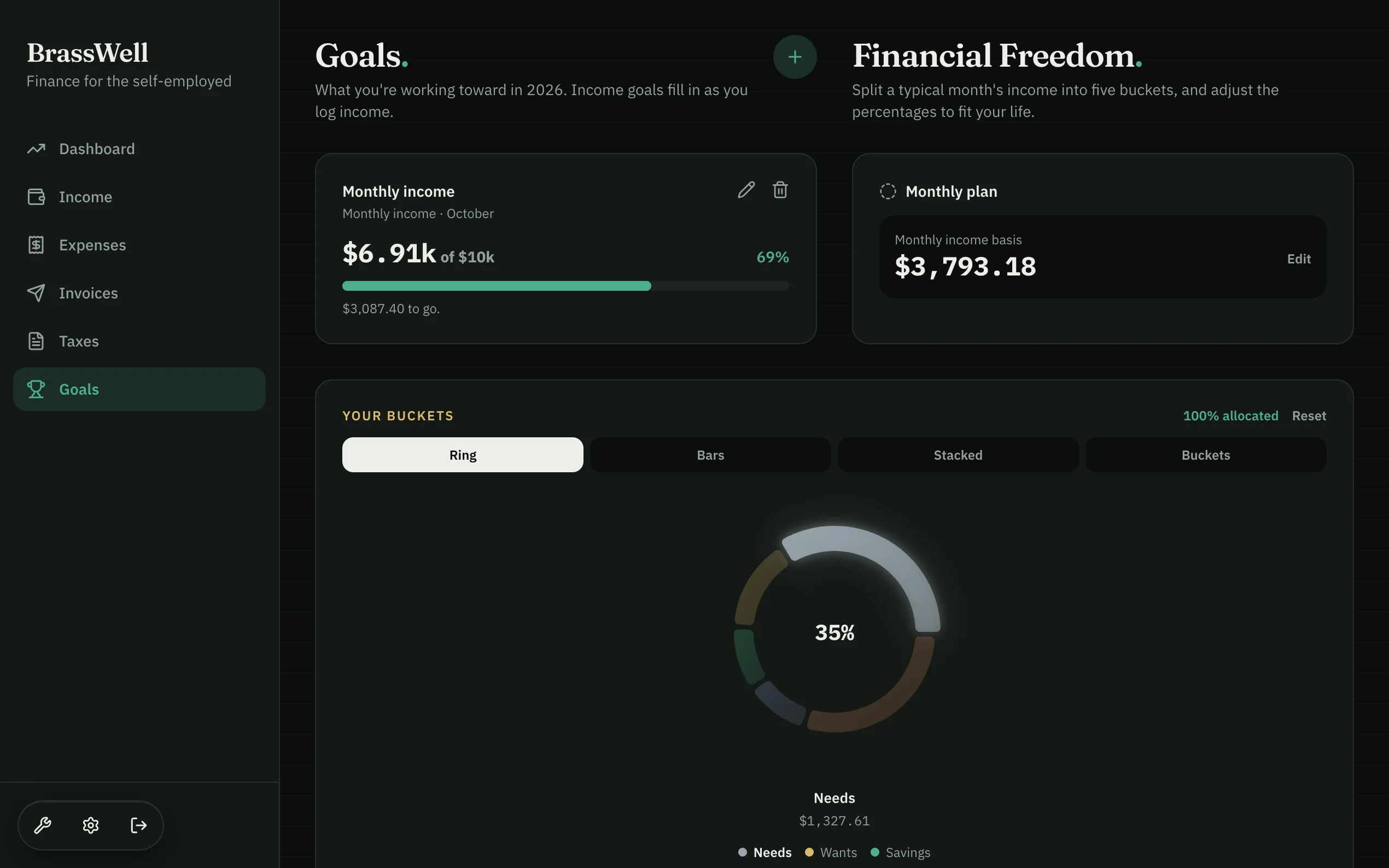
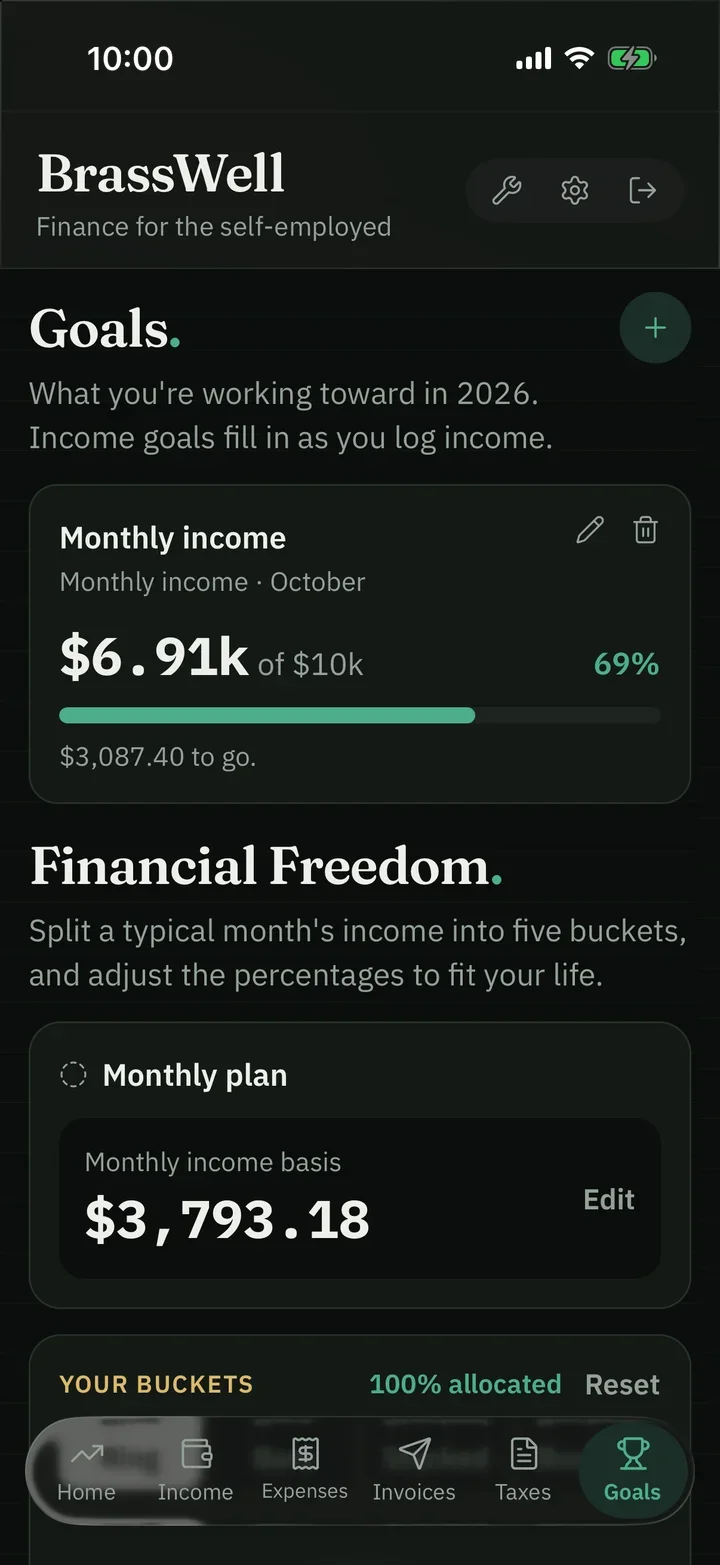
Goals that fill themselves. Income goals fill in automatically as you log income — and the Freedom plan shows the path from here.
Real screens from the BrassWell app
The problem
Budgets built on a number you never actually earn
Every mainstream money app starts with the same question: what’s your monthly income? Answer it honestly when you’re self-employed and you’re already lying — there is no monthly income, there’s a year of peaks and gaps that happens to average out to something.
So the budget breaks in February, the tax bill arrives as a surprise in April, and the app quietly becomes another thing you don’t open.
What a self‑employed year actually looks likeincome, by month
Twelve months of income: some months near zero, one far above the rest. A dashed line marks the average — the figure a budgeting app assumes — and no month actually lands on it.
Self-employed income doesn’t arrive through one pipe, so there isn’t one way to log it. Use whichever suits the moment.
✎By handDate, source, category, amount
⤓CSV importStraight from your bank’s export
◎Photograph a receiptAI reads the amount and category
⊙Connect a bank ProTransactions flow in on their own
One ledgerSample entries
By handFuel−$64.20
CSVSoftware−$29.00
ReceiptHarbor Office Co.−$142.50
BankKirby & Co+$2,400.00
Receipt scanning is in Core, not just Pro — you shouldn’t have to pay more to avoid typing.
02Step two
Buckets, not budgets
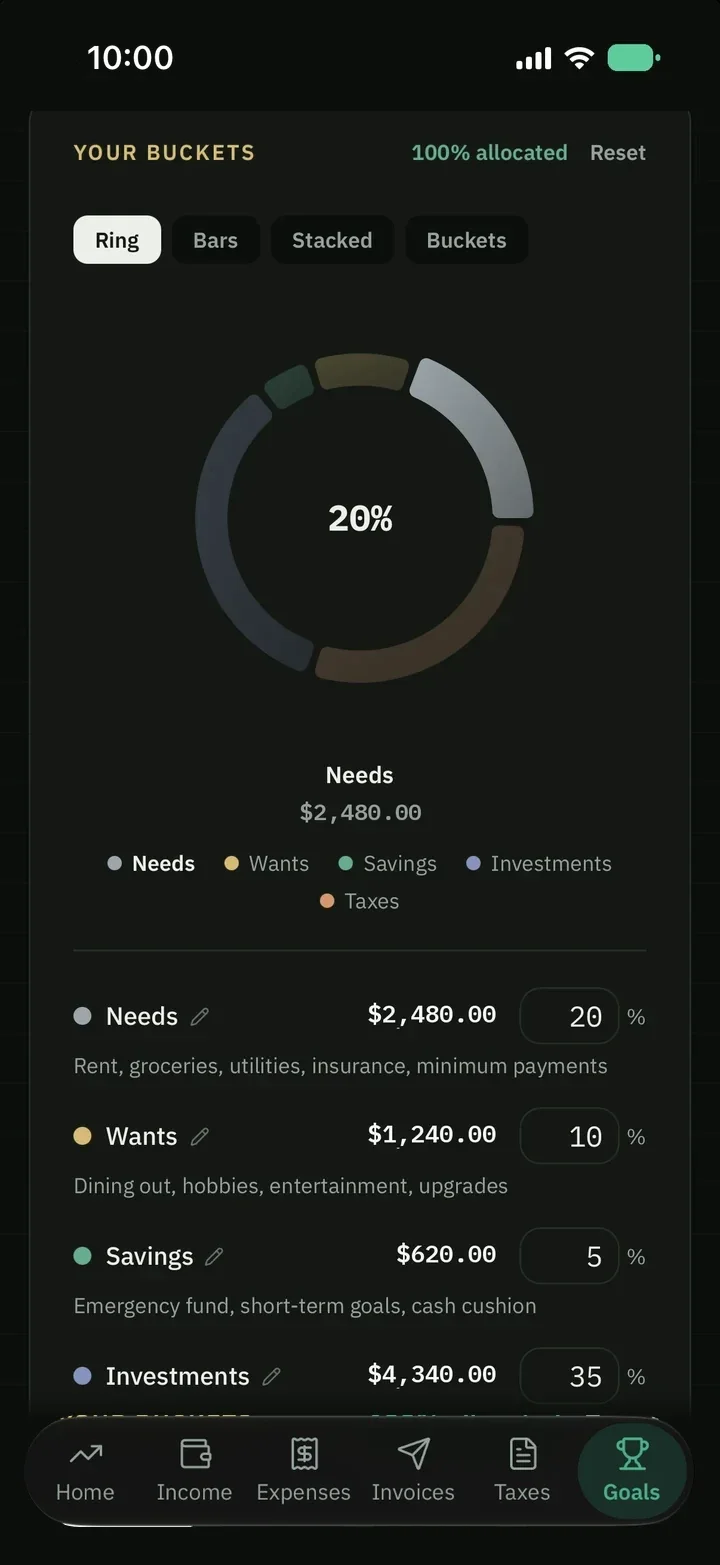
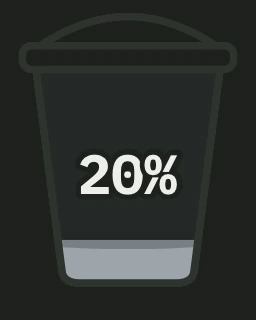
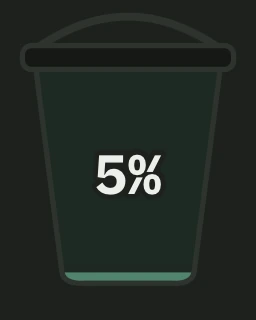
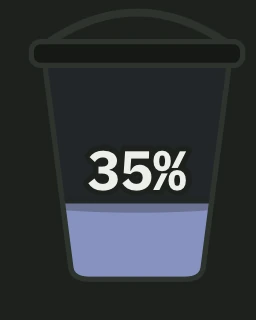
Instead of committing to fixed monthly amounts you can’t honor, you set percentages once. Whatever lands that month gets split the same way — a big month and a thin month are handled by the same rule.
↓Profit this monthSplit five ways+$6,300Today
%Tax set aside firstBefore you could spend it$1,890Auto
↑Savings topped upSame rule, thin month or fat$3155%
That split is one person’s. The percentages are yours to set, and the app shows you exactly how much is left — or how far over 100% you’ve gone.
03Step three
The tax bucket, filling quietly in the background
Nobody gets caught off guard by tax because they forgot it exists. They get caught off guard because the money was already spent by the time the bill arrived.
BrassWell estimates what to set aside from your income and an adjustable rate, and earmarks a share of your profit as it comes in, so the quarterly figure is already worked out when the date arrives.
Set-aside rate30%Sample payments
Morrow Films+$3,000.00$900.00
Design retainer+$2,400.00$720.00
Wedding deposit+$1,500.00$450.00
Tax bucket$2,070.00Set aside before you could spend it
An estimate to help you plan — not tax advice, and it doesn’t file for you. The figures are built around US self-employment tax and quarterly federal payments.
04Step four
Invoice, and get paid where you already get paid
Build an invoice from line items with quantities and rates, add tax or a discount, set a due date, then download or share the PDF yourself (BrassWell never emails your clients). Track it as draft, sent or paid — and a paid invoice can flow straight into your income without being typed twice.
Tidelark Studiohello@tidelarkstudio.com2418 Seabright RowSan Diego, CA 92107
InvoiceINV-0114Paid
Bill ToRowan Studio
Issue Date: Mar 29, 2026Due Date: Apr 12, 2026
Description
Qty
Rate
Amount
Content retainer — March
1
$2,400.00
$2,400.00
Extra reel edits
3
$95.00
$285.00
Stock licensing
1
$60.00
$60.00
Subtotal$2,745.00
Total$2,745.00
Pay OnlinePay this invoice
(619) 555-0142 · hello@tidelarkstudio.com
Draft
Sent
Paid
Income
InvoiceRowan Studio · INV-0114+$2,745.00
Money never passes through BrassWell. You add your own payment details and a payment link — PayPal, Stripe, whatever you already use — and they appear on every invoice. The link becomes a “Pay this invoice” button; the bank details are spelled out underneath so it still works on a printed copy.
Find any invoice in seconds. Search by number, client or line item, and filter by status — draft, pending, paid or overdue — or by period, with a running total of what’s showing. Pro can bring in past invoices from a spreadsheet or a PDF, so the history doesn’t start the day you sign up.
Core includes 5 invoices a month with print-ready PDFs. Pro makes it unlimited and adds time tracking that bills itself onto an invoice.
05Step five
Tax time is an export, not an archaeological dig
Every expense can be marked deductible and categorized as you go, so deductions are tallied through the year rather than reconstructed in a panic in April. It feeds the tax estimate and the CPA export from the same records.
And you can take everything out, any time: one spreadsheet with a tab for income, expenses, invoices, clients and the rest, plus a zip of your receipt photos with a manifest.
Income
Expenses
Invoices
Clients
Receipt photos
XLSXOne spreadsheet, a tab per record type
ZIPReceipt photos, with a manifest
✓Any time — even from a locked account
The export isn’t behind a paid plan. Even a locked account can pull everything out — those records are yours whether or not you’re still subscribed.
Connecting a bank is optional — three of the four ways to log money need no bank at all. But if you want the feed to fill itself in, it’s worth knowing exactly what you’re agreeing to. So here it is, plainly.
Plaid connects to thousands of US banks and credit unions — the big banks, regional banks and the newer app-only accounts. Yours is very likely on the list.
Names shown are a sample of supported institutions, not partnerships or endorsements. Coverage is Plaid’s and can change — check the current list. Bank connections are a Pro feature; every other way to log money is in Core.
01
Plaid handles the sign‑in
The bank login screen belongs to Plaid, not us. Your username and password go from you to Plaid to your bank and never touch BrassWell. What comes back to us is a token that reads transactions — not your login, and not the ability to sign in as you.
02
Transactions, and only transactions
That’s the single permission we request. Dates, amounts, descriptions, the account they came from — the things you’d see on a statement. We use them to fill in your income and expenses.
03
Disconnecting really disconnects
Remove a connection and we tell Plaid to sever the link and delete the token we held. Nothing can read the account afterwards. Deleting your BrassWell account does the same for every bank you’d linked, when the account is permanently deleted at the end of its 30-day window.
✕
We cannot move money. There’s no payment permission on the connection. No transfer can be initiated from BrassWell — by us, or by anyone who got into your account.
✕
We never see your bank credentials. We couldn’t hand them over if we were asked, because we never receive them.
✓
You can revoke us anywhere, any time. From inside BrassWell, or from Plaid Portal — Plaid’s own site, which lists every app you’ve connected to anything and can delete your data from Plaid’s systems too.
✓
You can skip it entirely. Manual entry, CSV import and receipt scanning cover the same ground. Plenty of people prefer it — it keeps you closer to your own numbers.
Plaid publishes its own account of how this works at plaid.com, and what Plaid itself does with your data is covered by its End User Privacy Policy — worth reading before you connect anything.
Your data
Yours to take, yours to delete
There’s a lock on the app — a PIN or your device’s Face ID, with auto-lock after a period of inactivity — because someone picking up your phone shouldn’t be able to read your finances.
Left yourself signed in on a borrowed laptop? One tap in Settings signs out every other device and keeps the one in your hand. Signed up with Apple or Google? You can add a password as well, confirmed with a code we email you.
And there’s a door out. Export everything whenever you like. Delete the account from inside Settings, with a 30-day window to change your mind before it’s gone for good. We hold your data; we don’t hold it hostage.
PIN or Face ID
30
days to change your mind after you delete the account, before it’s gone for good
Pricing
Two plans. No free tier, and we’d rather say so upfront.
Every account starts with 14 days of Core, and we don’t ask for a card. When the trial ends you pick a plan or the account locks — nothing is deleted, and you can still export all of it either way.
Recommended
Pro
Everything in Core, plus the tools that bill for you.
$299/year
USD per month. Switch to yearly and it’s $299 — two months free.$24.91 a month, billed as $299 a year. You keep $60.88 versus paying monthly.
Prices in USD. Not ready to pay? Start with 14 days of Core free — no card. The trial runs on Core deliberately, so nothing you get used to disappears if you pick Core at the end.
Built for the way self‑employed money actually arrives.
Fourteen days of Core, free, no card. Then pick Core or Pro and keep going — if it doesn’t fit the way you work, you’ve lost nothing.



 Tidelark Studio